
Affordable Eye Tracking with Developer Tools
0 Comments Published by OneSwitch.org.uk on Sunday, March 17, 2013 at 4:59 AM.

Fancy an eye-gaze unit that is the price of an Xbox or PC Kinect and $60? Sounds good doesn't it? The NUIA eyeCharm from 4tiitoo.com is looking to be just that.
The device will come with developer tools including a scripting language to set-up controls that will interface with other main-stream eye tracker units. There's three weeks to go to help them reach their goal of $100,000.
Link with thanks to Techni Myoko.
Labels: Eye Tracker Games
Slalom, the Videogame
1 Comments Published by Javier Mairena on Friday, September 30, 2011 at 7:15 AM.
Wheelchair Slalom is a sport for people with cerebral palsy, in which the players go through a course made up of various obstacles and tests in the shortest time possible.
'Slalom, the Videogame' provides an insight into the sport without the need for space, time and personnel required for its practice.
Read more »
Labels: AcceessAble Games, Closed Captions, Eye Tracker Games, Free games, Game Therapy, One Handed, One Switch Games, PC
Waterloo Lab's Eye Mario system allows a person to play any NES video game using eye movements alone. The video above gives a basic overview of how this system works. For a more detailed break-down of how it works, they've also provided an overview document for your eye-balls.
Link via: Thomas Westin on the IGDA GASIG mailing list.
Labels: Eye Tracker Games
Martin Tall on Gaze Interaction
0 Comments Published by OneSwitch.org.uk on Sunday, February 15, 2009 at 5:09 AM.
 Martin Tall has a very informative blog on Gaze Interaction with the use of eye-trackers. There's some very useful posts on games as well as an excellent "inspiration" tag including details of how multi-step zooming methods massively increase accuracy.
Labels: Eye Tracker Games
Eye Gaze in Practice Study Day - London
1 Comments Published by OneSwitch.org.uk on Wednesday, February 11, 2009 at 11:11 AM.
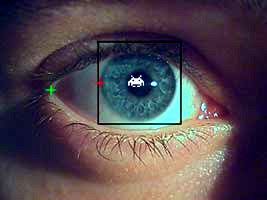 Eye Gaze in Practice Study Day - 19 March 2009, Bloomsbury, London: Following Communication Matters’ successful Eye Gaze study day in 2008, this day has been designed for people who want to explore in greater depth some of the issues around provision, as well as for those wanting an overview of eye gaze interaction.
The study day will include a presentation on the developmental aspects of eye gaze, a chance to try the latest developments from suppliers, presentations by suppliers of eye gaze technology, and an opportunity to hear about and share experiences in the use of eye gaze for interaction. There will also be an exhibition of eye gaze devices.
Download booking form and more information about the Eye Gaze in Practice study day here. For more information about other Communication Matters study days, please visit www.communicationmatters.org.uk/studydays.
Via: Alicia Howell
Labels: Eye Tracker Games
Accessible Gaming - Living in the 80's?
0 Comments Published by OneSwitch.org.uk on Wednesday, October 15, 2008 at 9:00 AM.
 Graeme's Free Games presently features some highly accessible versions of Namco's all-time classic Pac-Man. All feature the option to reduce the number of ghosts as well as giving the facility to adjust the speed of the ghosts and your Pac-Man independently.
There's a really well thought out one-switch version that features the best solution I've seen yet to navigating a maze at speed. A mouse compatible version offers a way to play for head-tracker, eye-tracker and other users too. This too offers a really well thought out solution.
For those wanting to play the exact same version that Namco released in the arcades back in 1980/81 - take a look at 4Noah for a potential solution: One-Switch Pac-Man - Mouse controlled Pac-Man.
Labels: Eye Tracker Games, Head Tracker Games, Mac, One Switch Games, PC
COGAIN - Eye Tracker Game Competition
0 Comments Published by OneSwitch.org.uk on Thursday, September 11, 2008 at 5:17 PM.
 In a little bit of synchronicity with the Retro Remakes "Game For Helen" category, COGAIN have just launched their own Eye Tracker game competition: "Power of Gaze".
COGAIN (COmmunication by GAze INteration) have a short list of previously submitted eye-tracker games and 'leisure applications' on-line. The main restriction is that you need to be a student or a group of students in order to submit a game. Student's of Life should be able to apply too, surely?
[update: 18.9.08] - COGAIN have opened up the competion as follows: "Any student (undergraduate or graduate) or non-commercial participant (not a student but not a professional either) may enter the competition". Excellent!
Labels: Competition, Eye Tracker Games
Design Tips For: Eye Tracker Games
0 Comments Published by OneSwitch.org.uk on Saturday, August 23, 2008 at 12:40 PM.
Written in collaboration with SpecialEffect.An EyeTracker is an interface that translates and maps eye movements to on-screen pointer control. Where ever your gaze falls on the screen, your pointer will also fall. In many ways, an EyeTracker simply replicates what a mouse does.
So you can move a pointer about on-screen with your eyes and that's all very good, but how do you click? Well that depends upon your ability.
1. Some will be able to click on some kind of switch (see this House of the Dead YouTube demo), typically using a specialised switch interface and switch. Random examples include blink switches, bite switches and light pressure finger switches.
2. For gamers unable to do this, reliant purely upon their eyes, a Dwell Clicking utility will often be needed. Here a click is made once your pointer has hovered over an area of the screen for a pre-set length of time. With some dwell clickers, you might see an animated progress bar or clock attached to the pointer whilst it hovers denoting how long before a click is activated.
For more advance use, Dwell Clickers can give control over double-clicks, dragging, right clicks and more via an on-screen floating control panel. N.B. For compatibility with the greatest number of Eye Tracker and Dwell Clicker combinations, it's normally very important that your game includes the option to run it within a window. You can test out with a number of free dwell clickers here and here using a mouse alone.
3. The final alternative for independent play is: Don't Click It! - Make a game that doesn't need a click in the first place (try this on-line game Doeo but imagine a click free front menu).
Eye Tracker Essential Considerations:
A. Some gamers using Eye Trackers will not be able to focus on a spot as quickly nor as accurately as the average person using a mouse. Allow for this by including meaningful variable difficulty levels and ideally a speed control option if relevent to your game. Very importantly, make clickable target areas larger than you normally might. They should be at least 3cm in diameter on an average sized monitor, as a rough guide.
B. Bear in mind that an Eye Tracker gamer does not have the flexibility of a gamer using a real mouse to look at a different area of the screen to where they are moving their pointer. Where the Eye Tracker looks is where the pointer goes. There is a way around this though, seen in games such as Demon Attack and Endurance Kaboom which lock movement to a horizontal plane.
C. Games requiring large numbers of clicks can become a chore very quickly for people using dwell-clicking. Consider a way of reducing the number of clicks needed (as seen in The Pyramid and Demon Attack with an optional Auto-Fire feature).
D. Games that wait indefinitely until you take your turn can suit many Eye Tracker gamers. These include the likes of Peggle and Bejewelled, point and click adventure games, board games such as Chess, sports games such as darts, bowling, golf and pool and more. These games are more sympathetic to slower reaction times and also to people who get fatigued. Which leads me onto...
E. A way to pause the game. With more action based games, a optional way to pause at anytime can be very useful. See The Pyramid and Demon Attack.
F. Avoid forcing use of the keyboard at any stage (isn't that obvious?). Although an external on-screen keyboard utility could be used for the likes of high-score name entry - it's important that you don't force gamers into needing to do this. Some won't be able to and will find themselves trapped. This might especially be the case if they have opted to play your game full screen for whatever reason.
Some inspiration for creating great Eye Tracker Games:
Whacka-Monty Mole - whack-a-mole game - features an auto-hammer mode for those unable to click quickly - large targets and meaningful difficulty level adjustment.
6 Differences - spot the difference game - would be improved with an optional easy version with the (invisible) target areas increased in size to the 3cm in diameter rough guide mentioned above. as this game stands, it require extremely accurate control, putting it out of reach of many.
Penalty Shoot Out - a game of luck - but once started - very, very clear.
Demon Attack - locking movement to a single plane (horizontal or vertical) can help with higher speed games such as this, with auto-firing a must here.
Peggle - another game that locks movement to a single-plane but this time in a more thoughtful slower paced game.
The Pyramid - mouse based control with auto-fire and the ability to pause at any time. the menu options are too small for some though.
UA-Chess - great examples of scan and select methods. again some of the text menu options are very small.
Doeo - great idea, and although fast, with a simple adjustment (very easy = collect 20 Doeos for example) - and larger menu options this game becomes highly playable.
Magic Marbles - large target areas - playable completely at your own pace.
Switch Friendly Games - A number of traditional board games compatible with Eye Trackers.
GameAccessibility.com - Head Tracker games forum.
OneSwitch Blog - Eye Tracker posts.
CPU Killer - Utility to slow a computer down.
Special Effect - YouTube BBC Video.
A couple of extra ideas to think about. One solution to adding optional Eye Tracker compatibility to a game is to overlay large semi-transparant icons over a game screen. Another solution would be to underlay invisible mapped areas of the screen to give control over arcade type games. Take a look at this 4Noah adaptation of Nintendo's PunchOut on YouTube. You would need a central "dead zone" where your eyes could rest and take in the on-screen action. You could then flick your eyes to the top or bottom of the screen to throw a high or low punch, or flick your eyes to the left or right of the screen to weave and block.
Retro Remakes, Special Effect, OneSwitch and the IGDA's GASIG are all very happy to take a look at any works in progress, to give support and ideas for tweaking and improving accessibility. Often times there might be just one or two things stopping an average game from being a really great game for disabled/enabled gamers. It would be great to have the opportunity to support people in getting the best out of their ideas.
Labels: Design Tips, Eye Tracker Games, PC
Gaze Controlled Games
0 Comments Published by OneSwitch.org.uk on Monday, October 22, 2007 at 5:34 PM.
COGAIN (Communication through Gaze Interaction) have just published a list of eye-tracker compatible games with assistance from the IGDA's GASIG members."One of the major goals of the COGAIN network is to provide people having physical disabilities with affordable, flexible, comfortable and easy to use hardware and software tools to interact with their environment through gaze control. Beyond applications that facilitate basic communication, our work also focusses on developing and sourcing games and other entertainment applications."
Thanks to Michael Heubner of COGAIN for this update.
Labels: Eye Tracker Games, Head Tracker Games
